Quick Answer
To size a solar battery system, installers need four numbers: the customer’s critical load in kilowatt-hours, the required backup duration, the battery’s usable capacity, and the inverter’s continuous and surge power rating. A practical sizing formula is:
Required battery capacity = Critical load kWh × Backup hours or days ÷ Usable depth of discharge ÷ System efficiency
For most residential backup projects, the right battery size is not “as large as the homeowner can afford.” It is the smallest system that reliably supports the selected loads, fits the customer’s outage expectations, and leaves room for real-world losses, weather variation, and battery reserve settings.
Planning a Solar Battery Project?
Share your project requirements with Eway Energy and get practical guidance on battery capacity, system configuration, and scalable storage options for residential or commercial installations.
Why Battery Sizing Matters More Than Battery Capacity
A 13.5 kWh battery does not automatically deliver 13.5 kWh of usable backup in every installation. Actual backup performance depends on load selection, inverter power limits, depth of discharge, round-trip efficiency, reserve settings, weather, PV recharge, and customer behavior during an outage.
For installers, battery sizing is a trust issue. Oversize the system and the customer may pay thousands more than necessary. Undersize it and the first outage becomes a callback, a complaint, or a bad review.
The goal is simple: design a battery system that matches the customer’s real backup use case.
Step 1: Define the Backup Goal
Before calculating capacity, ask what the customer actually wants the battery to do.
Most projects fall into one of four categories:
| Backup Goal | Typical Customer Expectation | Design Priority |
|---|---|---|
| Essentials backup | Fridge, lights, WiFi, outlets | Critical load panel and runtime |
| Comfort backup | Essentials plus HVAC, microwave, garage door | Power rating and load management |
| Whole-home backup | Most circuits stay available | Larger inverter stack and multiple batteries |
| Self-consumption / TOU shifting | Store daytime solar for evening use | Daily cycling and usable capacity |
Installers should separate backup sizing from bill optimization sizing. Backup systems are sized around outages. Time-of-use systems are sized around daily energy shifting. Many customers want both, but the calculations are different.
Step 2: Build a Critical Load Profile
Battery sizing starts with the loads that must stay on.
Create a simple load table with three values for each circuit or appliance:
| Load | Running Watts | Surge Watts | Daily Runtime |
|---|---|---|---|
| Refrigerator | 150 W | 800 W | 10 hr/day |
| WiFi/router | 20 W | 20 W | 24 hr/day |
| LED lighting | 100 W | 100 W | 5 hr/day |
| Sump pump | 800 W | 2,000 W | 1 hr/day |
| Heat pump / HVAC | Site-specific | Site-specific | Site-specific |
Then calculate daily energy use:
Daily kWh = Watts × Hours ÷ 1,000
Example:
- Refrigerator: 150 W × 10 hr ÷ 1,000 = 1.5 kWh/day
- WiFi/router: 20 W × 24 hr ÷ 1,000 = 0.48 kWh/day
- Lighting: 100 W × 5 hr ÷ 1,000 = 0.5 kWh/day
- Sump pump: 800 W × 1 hr ÷ 1,000 = 0.8 kWh/day
Estimated critical load = 3.28 kWh/day
Add a practical field margin of 10–25% for real usage variation.
Step 3: Convert Load Into Battery Capacity
Use this formula:
Battery size needed = Critical load kWh ÷ Usable DoD ÷ System efficiency
If the customer needs 10 kWh of backup energy, the battery has a 90% usable depth of discharge, and the system operates at 90% efficiency:
10 ÷ 0.90 ÷ 0.90 = 12.35 kWh nominal battery capacity
This is why installers should not quote battery size from nameplate capacity alone. EnergySage notes that many modern lithium-ion batteries advertise 100% depth of discharge, but not all do, and DoD directly affects usable energy. Battery efficiency also varies by model; some listed home batteries show round-trip efficiency from roughly the low 80% range to the high 90% range depending on chemistry and design.
Step 4: Check Power, Not Just Energy
Battery capacity tells you how long loads can run. Inverter power tells you what can run at the same time.
Installers should verify:
- Continuous power rating: Can the system support normal simultaneous loads?
- Peak or surge rating: Can it start motors, pumps, compressors, or HVAC equipment?
- Load sequencing: Does the customer need smart load control?
- Phase requirements: Does the site need 120 V only, 120/240 V split-phase, or three-phase support?
A customer may have enough kWh for overnight backup but still trip the system if a well pump, refrigerator compressor, microwave, and HVAC unit start together.
This is where load control earns its keep. Smart panels, managed circuits, soft starters, and customer education can reduce battery count without reducing perceived reliability.
Step 5: Decide Whether Solar Recharging Counts
Solar changes battery sizing, but it should not be treated as guaranteed backup energy.
NREL’s PVWatts Calculator estimates PV energy production based on system size, location, orientation, tilt, losses, and weather data. Installers can use PVWatts or comparable modeling tools to estimate average solar production, but outage design should account for low-production days.
A practical approach:
- For overnight backup, size the battery without relying heavily on PV recharge.
- For multi-day backup, model PV recharge using conservative winter or storm-season production.
- For resilience-critical customers, design around poor solar days, not average annual output.
Solar can extend runtime dramatically, but a cloudy winter outage can expose optimistic assumptions fast.
Step 6: Match Battery Size to the Customer Scenario
Here are practical starting points for residential projects:
| Use Case | Typical Battery Range | Installer Note |
|---|---|---|
| Essential loads for one night | 5–10 kWh usable | Best for fridge, lights, WiFi, small outlets |
| Essential loads for 24 hours | 10–15 kWh usable | Common fit for one modular home battery |
| Comfort backup | 15–30 kWh usable | Requires tighter load control |
| Whole-home backup | 30+ kWh usable | Verify inverter stacking, HVAC, and surge loads |
| TOU shifting only | Based on evening usage | Size around daily export/import pattern |
These ranges are not design rules. They are conversation starters. The actual answer should come from measured load data, customer expectations, and local site conditions.
Common Battery Sizing Mistakes Installers Should Avoid
1. Sizing from monthly utility bills only
Utility bills show total energy use, not outage behavior. A home using 900 kWh/month averages 30 kWh/day, but the customer may only need 8–12 kWh/day during an outage.
2. Ignoring surge loads
Motors and compressors can require several times their running wattage during startup. If surge loads are not accounted for, the system may shut down even when the battery still has energy.
3. Treating “whole home” as one category
Whole-home backup for a gas-heated home is very different from whole-home backup for an all-electric home with heat pumps, induction cooking, EV charging, and electric water heating.
4. Forgetting reserve settings
Many systems reserve a percentage of battery capacity for backup. If the reserve is set to 20%, the customer cannot use the full battery for daily cycling.
5. Overpromising multi-day autonomy
A battery can run essential loads for a long time if the customer manages consumption. It can also drain quickly if HVAC, pumps, cooking loads, or EV charging are included.
Installer Checklist for Solar Battery Sizing
Use this checklist before finalizing the proposal:
- Confirm the customer’s backup goal.
- Separate essential loads from comfort loads.
- Calculate daily critical load in kWh.
- Confirm surge and continuous power requirements.
- Apply DoD, efficiency, and reserve assumptions.
- Model conservative PV recharge if solar will support outages.
- Confirm code, utility, and AHJ requirements.
- Verify manufacturer installation limits and warranty conditions.
- Explain what the battery will and will not power.
- Put backup assumptions in writing.
Good battery design is not just electrical design. It is expectation design.
Example: Sizing a Battery for Essential Backup
A homeowner wants backup for:
- Refrigerator: 1.5 kWh/day
- WiFi and communications: 0.5 kWh/day
- LED lights: 0.5 kWh/day
- Sump pump: 0.8 kWh/day
- Miscellaneous outlets: 1.2 kWh/day
Total critical load:
4.5 kWh/day
Add 20% margin:
4.5 × 1.2 = 5.4 kWh/day
For one full day of backup with 90% usable DoD and 90% system efficiency:
5.4 ÷ 0.90 ÷ 0.90 = 6.67 kWh nominal capacity
In this case, a battery system with roughly 7 kWh of nominal capacity may cover the essential load target. If the customer wants two days without relying on solar recharge, the installer should plan closer to 14 kWh nominal capacity, then verify inverter power and surge requirements.
FAQ
What size solar battery does a typical home need?
A typical home often needs 10–15 kWh of usable battery capacity for essential backup, but the correct size depends on the circuits being backed up, outage duration, inverter power rating, and whether solar recharge is expected during the outage.
How do installers calculate battery backup time?
Backup time is calculated by dividing usable battery capacity by the load. For example, a 10 kWh usable battery can run a 1 kW load for about 10 hours before accounting for efficiency losses and reserve settings.
Is one battery enough for whole-home backup?
One battery is often enough for essential loads, but whole-home backup usually requires multiple batteries, load management, or both. HVAC, pumps, electric cooking, water heating, and EV charging can quickly exceed a single battery’s power or energy limits.
Should installers size batteries by kW or kWh?
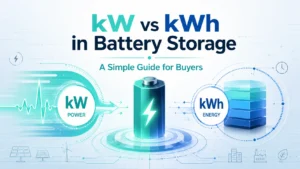
Installers need both. kWh determines how long the battery can run loads. kW determines how many loads the battery can power at the same time.
Can solar panels recharge batteries during an outage?
Yes, if the system is designed for islanded operation and the inverter supports PV charging during grid outages. Production depends on sunlight, array size, weather, and system configuration.
Need Help Choosing the Right Battery System for Your Project?
Whether you are sizing a residential backup system or planning a larger solar-plus-storage installation, Eway Energy can help you match battery capacity, inverter power, and project requirements with the right solution.
Final Takeaway
The best solar battery size is the one that matches the customer’s actual outage plan. Start with critical loads, calculate usable energy, verify power limits, and explain the tradeoffs clearly. A well-sized battery system does not just keep the lights on. It keeps the installer’s promise.